
What is Adobe? Adobe is a multinational company in America, it’s a software company, and it produces multimedia and creative software; this company was founded in December 1982; Steve job tried to buy this company for five million dollars, but the owners of adobe did not accept the offer, in 2003 all Adobe creative software bunched and created a new group called Adobe Creative suits in short CS and each software name ends with CS. In 2011 all the creative applications of adobe were kept in a group call Adobe Creative Cloud; it’s a desktop application if we need to download the Adobe software’s Creative cloud is the only option.
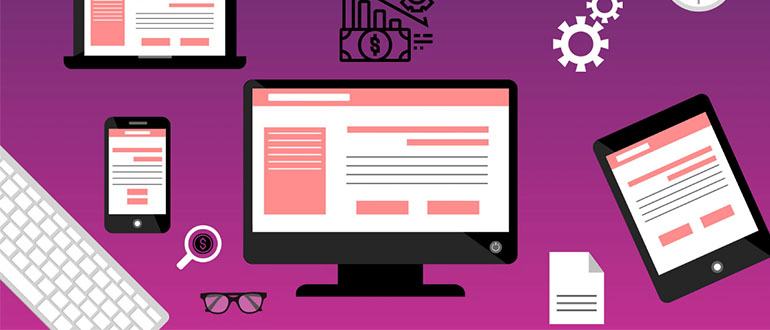
How much does website design and development cost in 2022?
Prices of website creation by types of projects and businesses Content: Site price components The price of the site when choosing a contractor The cost of the site by type of business The price for creating sites by project type The price for the online store The cost of a corporate website The price of the information portal Price Landing page The price of the site when using different technologies The cost of the site when using constructors The price of a WordPress site The price of the site on the framework The cost of promoting the site Today, the cost of creating a website varies greatly from project to project.

Best resources for web designers
Web Design Resources This web designing tools list includes web designing tools for beginners, as well as design resources that will serve you through an entire career. NEWSLETTER LISTS 1. Creative Market Before you do anything else, go get on the Creative Market newsletter list.(opens in a new tab) Once a week, you’ll get an email packed with 5 free downloads, including everything from patterns and fonts to templates and themes. SOFTWARE + APPS These software programs and web applications provide a solid foundation for web design. 2. CoffeeCup Software They offer up all sorts of free apps (opens in a new tab) for web designers, including an HTML editor, web form builder, shopping cart designer, and many others. 3. InVision app (opens in a new tab) Powerful prototyping and collaboration tools. You can get high-fidelity mockups and prototypes in just minutes. 4. Pixlr (opens in a new tab) Edit images right in your browser. 5. Canva (opens in a new tab) Amazingly easy graphic design software that anyone can use. The search and drag function is so simple and helpful! 6. Easel.ly (opens in a new tab) Awesome free infographic templates. PHOTOS Photos are a critical part of web design. These stock photo resources are key go-to’s when you need the right photo right now. 7. Unsplash (opens in a new tab) Some of the most gorgeous free stock photos out there, and with tons of variety. New images are added every day. 8. PicJumbo (opens in a new tab) Get free photos delivered to your inbox that are totally free for personal and commercial use. 9. Gratisography (opens in a new tab) Free high-resolution images that you can use in personal and commercial projects. They have easy-to-browse categories: animals, nature, objects, whimsical, and more. 10. Vecteezy (opens in a new tab) Search tons of images licensed for personal and/or commercial use, mostly from Flickr. 11. Pixabay (opens in a new tab) Curated web design resources, including a ton of categorized photos, plus icons and templates. 12. Stock Up (opens in a new tab) Search over 9,000 photos from 26 different websites, all in one place. 13. Death to the Stock Photo (opens in a new tab) Get on their email list and get their free photo packs in your inbox once a month. 14. Little Visuals (opens in a new tab) If you join their list, you’ll get 7 free high-res photos emailed to you once a week. 15. New Old Stock (opens in a new tab) Get free, vintage photos from public archives. 16. Cupcake (opens in a new tab) Free, high-res photos by Jonas Nilsson Lee. 17. Pexels (opens in a new tab) 10 new free stock photos every day. 18. Magdeleine (opens in a new tab) 1 free high-res photo per day. 19. SplitShire (opens in a new tab) Free, high quality stock photos by an Italian photographer. 20. ISO Republic (opens in a new tab) High quality stock photos marketed to creatives. 21. Paul Jarvis (opens in a new tab) Sign up to get 20 of Paul Jarvis’s top photos for free. SYMBOLS + ICONS Looking for symbols or icons to use on your website? Look no further. 22. Pixeden (opens in a new tab) Tons of free icon sets, including weather icons, social icons, line icons, and many others. 23. Iconmonstr (opens in a new tab) More than 2800 boldly graphic icons in a few different styles. 24. Captain Icon (opens in a new tab) Over 350 free vector icons for mobile and web designs. 25. Linear Icons (opens in a new tab) An icon font with 170 different icons to choose from. 26. Font Awesome (opens in a new tab) A symbol font that allows you to add symbols to your websites. 27. Fontello (opens in a new tab) Generates icon font packs. 28. flaticon (opens in a new tab) Download vector icons or include icons as webfonts. 29. The Noun Project (opens in a new tab) Search a noun, get a free symbol or icon. 30. Endless Icons (opens in a new tab) Free icon library. 31. Perfect Icons (opens in a new tab) Customize and optimize social media icons for your site. 32. iconSweets (opens in a new tab) 60 free vector Photoshop icons. 33. Round Icons (opens in a new tab) Free quirky and professional icon bundles.
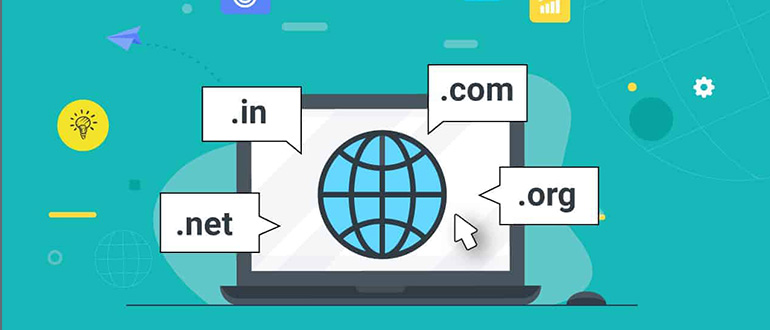
5 tips on how to choose a domain name
What is a domain? A domain name is a unique address that can be used on the Internet. It is the address name you see after the “www.” which indicates typing that name into your web browser will take you to a website. Every domain has a suffix or Top-level Domain (TLD) to identify domain names on the internet, such as: .com, .org, .edu, etc. Or country specific domains, such as .mx for Mexico and .us for the United States. For example, webdesign-jmendoza.com jmendozadesign.com facebook.com wordpress.org bbc.co.uk How does it work? First you have to register your desired website domain name through a “domain registrar company”. Your domain name has to be unique and no one else can own it. When domain names are registered, they are added to a large domain name register. Registering a domain name does not automatically activate a website. To make your domain name accessible to the World Wide Web, you need a web hosting service. The domain name must have a hosted website that includes a numeric address, called an IP address, for visitors to access the website using your domain name. Your domain name and its associated IP address are stored in a common database along with every other domain and associated IP address that are accessible via the Internet. Most popular domain and hosting providers are: GoDaddy.com BlueHost.com 1and1.com NameCheap.com FatCow.com HostGator.com InMotionHosting.com How to choose a Domain Name Choosing a domain name is the most important step for any individual, business or organization. When choosing a domain name, it is important to consider the purpose of a domain name, which is to provide an easy way to reach your web site. Here are 5 tips when choosing your domain name: 1. .com extension The .com TLD (top-level domain) is by far the most widely accepted and popular extension for a domain name. By default, “.com” is the first extension that most people try when searching for a Website. So if a visitor doesn’t remember your full business’s domain name, they will likely type .com afterwards. Having a .com can capture this traffic. If the .com domain is occupied and you do want to keep that extension, make a small change to the first part of the domain by adding or removing a character. The next most popular domain extensions are: .net .org .biz .info .mobi .tv 2. Short name A short domain name is easier to type, read, and remember. Try to find a domain name that only has one possible spelling and remember the shorter the domain name gets the easier it is to remember. Most people cannot spell so make it easy for your website visitors to remember by choosing a domain name without a confusing spelling. Also avoid long hyphenated names or numbers between words. They make people forget where the hyphens or numbers go and this may cause your visitor ending up in the wrong website. Short domain names examples: Youtube.com Facebook.com Graphicdesign.com 3. Keyword Choose a domain name that is full of keywords that are related to your website. Look for specific terms, common words or short phrases that your customers or prospective customers may commonly type into a browser. Remember, your domain name should explain what your site is about. For example: creditcheck.com, coupons.com, rentalcars.com and solarenergy.com 4. Unique The more unique a domain name is the easier it is to remember. Think about branding and name recognition. Don’t try to make your domain name similar to some existing ones. Having a name very similar to a popular site already owned by someone else is a bad idea. For example: facebook.com, groupon.com, vimeo.com, etc. Also, you may want to think about register your own first and last name as your domain name if you are a consultant, writer, or have a personal or portfolio website. This will help you build a reputation in your field of work. 5. Other extensions (suffix) Protect your brand with other extensions. If you find your domain name with .com extension it would be a good idea to register as many of other extensions available as a defensive measure. This will prevent other people to purchase a domain name like yours and probably steal some traffic from you. Also, you can redirect the other extensions to your .com domain in case people type the wrong extension of your domain name. The next most popular domain extensions are: .net .org .biz .info .mobi .tv The domain you use for your web site can have a huge impact in the way that humans and search engine spiders perceive it. Competition for domain names is higher than ever so there is a chance that your perfect domain name has been taken. This is why it is essential that before you even start your web site, you spend a good amount of time choosing the right domain name. Follow this tips and good luck in your domain name searching.
Welcome to Experian's Global Press Office
The Global Press Office contains relevant material on all aspects of Experian's business, including press releases, recently published articles and White Papers (Issue Papers). It also contains links to Experian's websites across the world and other relevant websites. Hot News 16-Nov-06 Le datamining а la portйe des opйrationnels du marketing : Experian enrichit sa suite logicielle iMarketer en s’appuyant sur KXEN 16-Nov-06 Les Franзais et l’argent : un comportement atypique en Europe 15-Nov-06 EXPERIAN РАЗШИРЯВА БАЗАТА ДАННИ НА КРЕДИТНОТО СИ БЮРО В БЪЛГАРИЯ, ЗА ДА ПОДОБРИ ВЗИМАНЕТО НА КРЕДИТНИ РЕШЕНИЯ 15-Nov-06 Latest analysis highlights new trends in internet user profiles 14-Nov-06 PriceGrabber.com forecasts explosive growth in online shopping for the holidays 13-Nov-06 Experian launches Intact World 10-Nov-06 Experian named to Top 25 in FinTech 100 ranking of global financial services industry vendors 08-Nov-06 New league tables identify best performing schools 08-Nov-06 ‘Outer ring commuters’ discover that the hills aren’t always greener 08-Nov-06 Carte : Experian lance SAFIR® Direct to Merchant, en partenariat avec GALITT As well as being able to see material for individual countries where Experian operates, you can filter press releases, articles and white papers by category, eg., fraud or e-commerce, to enable you to research more quickly. Our media team is available to assist the media in gathering information about the company as well as co-ordinate interviews with Experian executives and industry experts. Click on 'Media Contacts' in the navigation panel for contact details in each country. Register to receive notification of new material automatically By registering for our Alert service, you will automatically receive by email relevant press releases as soon as they are issued. You can request to receive all new material from every office or specific countries only, as well as relating to any subjects. Click on 'Join our Mailing List' in the navigation panel to register.
Global Press Office
Home The Global Press Office contains relevant material on all aspects of Experian’s business, including press releases, recently published articles and White Papers (Issue Papers). It also contains links to Experian’s websites across the world and other relevant websites. Hot News 26-May-10 Automated lending processes enable better risk management in SME lending in Asia, advises Experian 25-May-10 Experian launches nationwide talent search for a new band to represent freecreditscore.com” 25-May-10 Experian CheetahMail is once again the number one email service provider to the top online retailers 25-May-10 Survey data reveals 57 percent of consumers with Web-enabled phones have used their phone to purchase consumer electronics 25-May-10 Experian QAS and Demandware collaborate to create turnkey integration for retailers 21-May-10 Experian analysis highlights impact of recession on UK consumers in 2009 20-May-10 Commercial risk scores up 1.8 percent since beginning of the year, according to Experian’s latest Business Benchmark Report 18-May-10 Consumer Credit Defaults in Autos and Mortgages Drop; Defaults in Bank Cards Accelerate 17-May-10 Experian launches new product suite to improve B2B collection efforts 14-May-10 UK business insolvencies down 20 per cent year-on-year in April As well as being able to see material for individual countries where Experian operates, you can filter press releases, articles and white papers by category, eg., fraud or e-commerce, to enable you to research more quickly. Our media team is available to assist the media in gathering information about the company as well as co-ordinate interviews with Experian executives and industry experts. Click on ‘Media Contacts’ in the navigation panel for contact details in each country. Register to receive notification of new material automatically By registering for our Alert service, you will automatically receive by email relevant press releases as soon as they are issued. You can request to receive all new material from every office or specific countries only, as well as relating to any subjects. Click on ‘Join our Mailing List’ in the navigation panel to register.
Albina Development specializes in creating great apps for iPhone, iPad and Mac
Since 2008 we've been obsessed with designing and developing outstanding iOS and Mac apps for ourselves and others. Apps we've worked on have been featured by Apple, appeared in top 100 charts, and been installed on Apple Store devices. Need help finishing an app or bringing a great idea to The App Store? Get in touch. Pinbook for Pinboard Pinbook is a Pinboard client that combines everything you love about Pinboard with a great iOS experience. Pinbook brings together fast syncing and beautiful design with iOS features like sharing, search and offline caching to make it the best way to use Pinboard on iOS. Features Shockingly fast sync. Fast search for thousands of bookmarks. Add, edit and delete bookmarks. Send links to social sites, Instapaper, Readability and more. Custom URL scheme for connecting to other apps like Launch Center Pro and Drafts. Praise — MacStories Pinbook is worth the $5 price tag. It makes Pinboard.in even more useful. I use Pinbook at least 20 times a day. — MacDrifter Check out our apps.